LMC 8.4 APK Download | LMC8.4 (All Android Phones) 2026
LMC 8.4 is a popular Google Camera mod for Android users who want more control over mobile photography. It is based on GCam and supports features such as HDR+, Night Sight, portrait photography, manual controls, auxiliary lenses, and XML config files. The R18 release is one of the known LMC 8.4 versions by Hasli, and community-made configs are available for many Android devices.
App Info
| Detail | Information |
|---|---|
| App Name | LMC 8.4 APK |
| Version | 8.4 |
| File Size | ~150 MB |
| Category | Photography |
| Compatibility | Android 7.0 and above |
| License | Free |
| File Type | APK |
LMC 8.4 is a popular Google Camera mod for Android users who want more control over mobile photography. It is based on GCam and supports features such as HDR+, Night Sight, portrait photography, manual controls, auxiliary lenses, and XML config files. The R18 release is one of the known LMC 8.4 versions by Hasli, and community-made configs are available for many Android devices.
If you want to install the app, you can visit our LMC 8.4 APK Download page for the latest file and installation details.
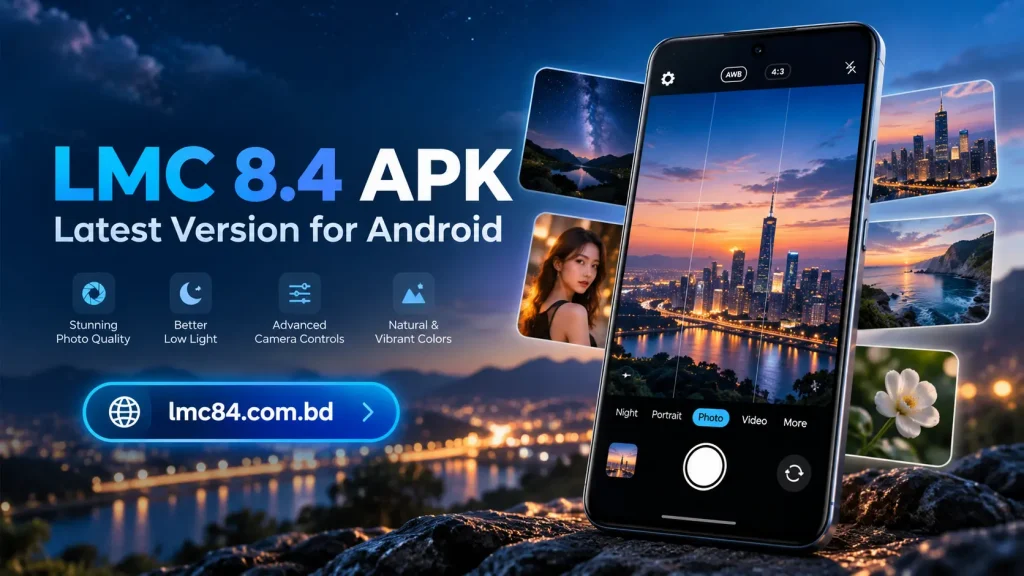
What is LMC 8.4?
LMC 8.4 is a modified Google Camera application developed by Hasli. It is heavily based on GCam 8.4 and includes additional settings that allow users to control image processing, lenses, exposure, white balance, focus, and other camera options.
Unlike a normal stock camera app, LMC gives users access to more photography settings. You can adjust the camera based on your phone, lighting conditions, and preferred photo style.
The app is mainly designed for Android devices. Compatibility can differ from one phone to another, so the correct APK package and config file are important.
LMC 8.4 App Information
| Detail | Information |
|---|---|
| App Name | LMC 8.4 |
| Category | Photography |
| Platform | Android |
| Developer | Hasli |
| File Type | APK |
| Popular Release | R18 |
| Config Support | XML |
| Root Required | Usually No |
Hasli released LMC 8.4 versions from R8 through R18. The R18 release was published in June 2023, while newer Hasli camera branches also exist outside the LMC 8.4 series.
Why Use LMC 8.4 Camera?
The main reason users install LMC 8.4 Camera is to get more control over image processing than many standard camera apps provide.
It can be useful for users who want better control over HDR, night photography, portrait shots, exposure, focus, and supported auxiliary lenses.
The result depends heavily on the phone hardware and settings. A config that works well on one device may not give the same result on another.
For this reason, choosing the right LMC 8.4 Config File is important.
Key Features of LMC 8.4 APK
HDR+ Enhanced
HDR processing combines image information to improve detail in bright and dark areas. It can be useful in scenes where lighting is uneven.
LMC also provides additional image-processing controls that let experienced users adjust the final look.
Night Sight
Night Sight is useful when taking photos in low-light conditions. It can collect more light and process several frames to create a clearer result.
Performance depends on the camera sensor, device support, and selected settings.
Portrait Mode
Portrait Mode helps separate the subject from the background and adds a blurred background effect.
This feature is commonly used for people, pets, and close-up subjects.
Astrophotography
Astrophotography settings are designed for long-exposure night shots such as stars and dark skies.
A stable phone or tripod generally gives better results because long exposure is sensitive to movement.
Manual Focus
LMC provides manual focus controls on supported devices. This can help when autofocus does not select the correct subject.
Users can adjust the focus based on the scene instead of relying only on automatic detection.
Exposure Control
Exposure settings control how bright or dark the image appears.
This is useful when the camera automatically makes a photo too bright or too dark.
White Balance
White balance affects the color tone of an image.
Different settings can make photos look warmer, cooler, or more natural depending on the lighting.
RAW Support
Some LMC releases include RAW-related options. Earlier LMC 8.4 releases added RAW format controls and other patcher settings.
RAW files are useful for users who want more flexibility during photo editing.
Video Stabilization
Video stabilization can help reduce visible shake while recording.
Actual performance depends on your phone’s hardware, camera sensor, and the selected video settings.
Auxiliary Camera Support
Many Android phones include main, ultra-wide, telephoto, or macro cameras.
LMC provides AUX-related controls for supported devices, although lens support varies by manufacturer and phone model. R18 also included changes related to default AUX handling for many devices.
LMC 8.4 Config Files
A config file is an XML file containing camera settings made for a particular device or photography style.
Instead of manually changing many options, users can load a compatible config and apply its settings quickly.
Community configs are available for many devices, and different phones often require different settings.
You can check our LMC 8.4 Config File Download page for supported XML files.
Common config types include:
- Portrait configs
- Night photography configs
- Natural color configs
- Sharp image configs
- Soft image configs
- Astrophotography configs
- Device-specific configs
A config should be chosen according to your phone rather than only by its file name.
How to Install an LMC 8.4 Config File
The common config folder for newer LMC 8.4 releases is /LMC8.4/ in the root of internal storage.
To load a config:
- Download a compatible XML file.
- Create the LMC8.4 folder in internal storage if it does not already exist.
- Move the XML file into that folder.
- Open LMC 8.4.
- Double-tap the area around the shutter button.
- Select the config.
- Tap the load or import option.
Some device configs may require additional settings, so always use a file made for your phone whenever possible.
LMC 8.4 Versions
Several LMC 8.4 releases were published before R18.
LMC 8.4 R13
R13 is an older release in the LMC 8.4 series. Some users continue to use older versions when they work better with a specific phone.
LMC 8.4 R14
R14 continued the development of LMC 8.4 with updated camera settings and compatibility changes.
LMC 8.4 R15
R15 is another commonly referenced version, and some R15 config files may also work on newer releases, although testing is required.
LMC 8.4 R16
R16 added further changes before the later R17 and R18 versions.
LMC 8.4 R17
R17 was released before R18 and remains useful on devices where newer builds do not work as expected.
LMC 8.4 R18
LMC 8.4 R18 is the final listed LMC 8.4 release on Hasli’s development page. It added interface and setting changes, AUX fixes, AWB model loading, viewfinder frame-rate controls, and other usability updates.
You can visit our LMC 8.4 Versions page to compare available releases.
LMC 8.4 R13 vs R14 vs R15 vs R16 vs R17 vs R18
| Version | Best For |
|---|---|
| R13 | Older device setups |
| R14 | Users testing older releases |
| R15 | Existing compatible configs |
| R16 | Improved later-series support |
| R17 | Devices stable on R17 |
| R18 | Latest LMC 8.4 series release |
The newest release is not automatically the best choice for every device. Some phones may work better with an older version because of camera libraries, processor differences, or config compatibility.
How to Download LMC 8.4 APK
Downloading LMC 8.4 APK is simple.
- Visit our LMC 8.4 APK Download page.
- Select the required APK version.
- Download the file to your Android phone.
- Wait until the download finishes.
- Open the downloaded APK.
- Start installation.
Different package variants may exist for compatibility with different devices. Hasli’s R18 release, for example, includes several package-name variants.
How to Install LMC 8.4 on Android
Android may ask for permission before installing an APK downloaded outside the Play Store.
Open the APK file and allow installation from your browser or file manager when prompted. After that, tap Install and wait for the process to finish.
When you open LMC for the first time, allow the camera, microphone, and storage/media permissions that are needed for its camera functions.
Avoid giving unrelated permissions that do not match the app’s purpose.
How to Use LMC 8.4 Camera
After installation, open LMC 8.4 and start with the default settings.
Test the main camera first. Take photos in daylight, low light, and indoor conditions before changing advanced options.
If the default result is not good, load a compatible config made for your device. You can then adjust exposure, focus, white balance, HDR processing, and lens settings based on your preference.
Avoid changing many advanced options at the same time. This makes it easier to understand which setting improves or reduces image quality.
LMC 8.4 Compatibility
LMC does not work exactly the same on every Android phone.
Samsung
Samsung devices may require specific APK package variants for auxiliary lens support. Device-specific configs can also improve setup.
Xiaomi
Many Xiaomi and Redmi phones support GCam ports, but performance depends on the processor, Camera2 API support, and camera sensors.
Realme
Realme compatibility varies by model. Some phones may need different package variants or settings for additional lenses.
Vivo
Some Vivo phones can run LMC, while others may face lens or video compatibility issues.
Oppo
Oppo device support also depends on Android version, chipset, and camera APIs.
OnePlus
Some OnePlus devices have historically required camera-specific fixes or settings. Earlier LMC 8.4 builds included fixes for certain OnePlus RAW behavior.
For more device-specific information, you can check our LMC 8.4 Compatibility section.
LMC 8.4 vs Stock Camera
A stock camera is designed by the phone manufacturer and normally provides stable everyday performance.
LMC 8.4 offers more manual controls and image-processing options, but setup can require extra work.
| LMC 8.4 | Stock Camera |
|---|---|
| More advanced settings | Simpler interface |
| Config file support | Manufacturer presets |
| Manual image tuning | Automatic processing |
| Device compatibility varies | Built for the specific phone |
| Multiple GCam-style options | Usually fewer advanced controls |
Users who prefer simple point-and-shoot photography may prefer the stock camera. Users who like testing settings may prefer LMC.
LMC 8.4 Not Working or Crashing
If LMC 8.4 APK crashes, first remove any incompatible config and test the app with default settings.
Other fixes include:
- Try another LMC version
- Use the correct APK package
- Clear app data
- Restart the phone
- Check camera permissions
- Disable unsupported camera features
- Try another device-specific config
- Update Android if required
Config compatibility is important because settings created for another phone can cause poor results or instability.
Is LMC 8.4 Safe?
LMC is an unofficial Google Camera port, so users should pay attention to the APK source and permissions.
The LMC 8.4 releases listed by Hasli are distributed through the GCam mod community, and LMC8.4_R18 is also listed among the recommended stable Google Camera port versions on Celso Azevedo’s repository.
Still, APK files should always be checked before installation, especially when downloaded from third-party websites.
Advantages and Limitations
Advantages
- Advanced camera controls
- HDR and low-light options
- XML config support
- Manual focus and exposure controls
- Support for different photography styles
- Multiple APK variants for compatibility
Limitations
- Does not work perfectly on every phone
- Correct config may be required
- Some auxiliary lenses may not work
- Advanced settings can be confusing for new users
- Certain versions may crash on unsupported devices
Frequently Asked Questions
What is LMC 8.4?
LMC 8.4 is a modified Google Camera app for Android with additional camera and image-processing settings.
Is LMC 8.4 free?
The commonly distributed LMC GCam port is available without a normal paid app purchase.
What is the latest LMC 8.4 version?
R18 is the final LMC 8.4 release currently listed on Hasli’s development archive.
Which LMC 8.4 version is best?
There is no single best version for every phone. R18 is the latest release in the 8.4 series, but an older release may work better on certain devices.
What is an LMC 8.4 config file?
It is an XML file containing predefined camera settings. Configs can be imported instead of setting every option manually.
Does LMC 8.4 work on all Android phones?
No. Compatibility depends on Android version, processor, camera API support, sensors, and APK package.
Does LMC 8.4 require root?
Normal installation generally does not require root access.
Can I use LMC 8.4 on iPhone?
No. LMC APK files are made for Android and cannot be installed directly on iOS.
Final Words
LMC 8.4 gives Android users more control over mobile photography through GCam-style processing, manual settings, auxiliary camera options, and XML configs. R18 is the final release in the LMC 8.4 series listed by Hasli, but the best version still depends on your phone and camera setup.
Start with the default settings, test your device, and then use a compatible config if needed. You can use the LMC 8.4 APK Download page for the APK, the LMC 8.4 Config File page for XML files, and the LMC 8.4 Versions page to compare releases.